Shipping and pickup points
Rates, free shipping above an amount, pickup and collection points.
Rates
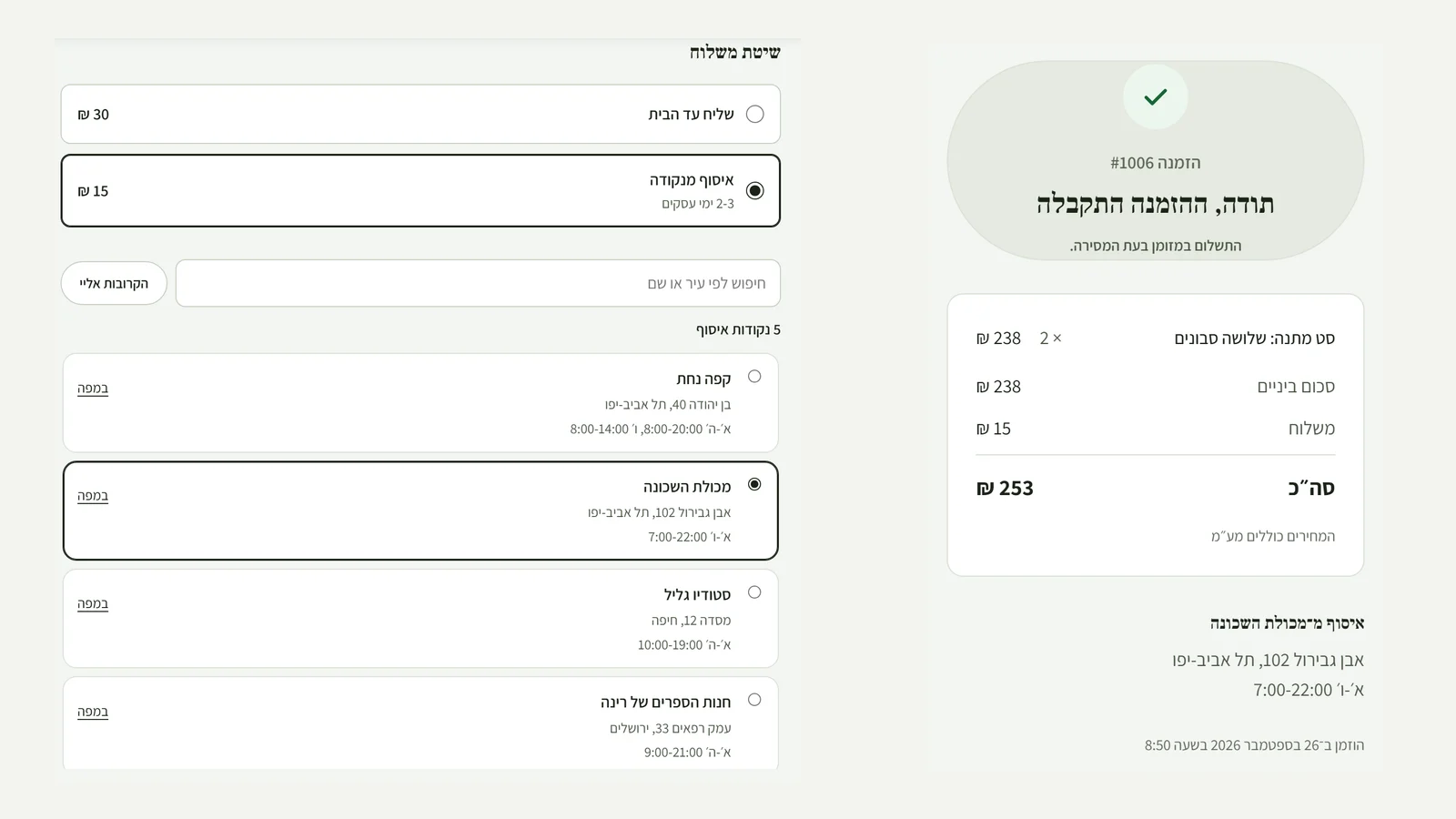
In Settings, under "Shipping", add a rate with a name and a price, for example "Courier to your door". You can set free shipping above an amount.
Pickup and collection points
Add pickup from your business, or collection points with an address and opening hours, and customers choose at checkout.
Shipping an order
In the order, click "Mark as shipped" and add a tracking number. The customer gets an email with a tracking link.
Did not find an answer? In the admin, the "Help" button lets you write to us directly, and we reply by email.